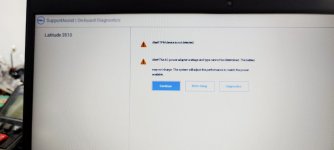
If the TPM is a TPM 2.0 and is not detected by Windows, verify that your computer hardware contains a Unified Extensible Firmware Interface (UEFI) that is Trusted Computing Group-compliant. Also, ensure that in the UEFI settings, the TPM has not been disabled or hidden from the operating system.
This site uses cookies to help personalise content, tailor your experience and to keep you logged in if you register.
By continuing to use this site, you are consenting to our use of cookies.